Online ordering and reservation deposits for the free Restaurant Menu, Reservations & Ordering plugin. Guests order from the menu you already publish, and a deposit holds the table, both paid through the WooCommerce checkout you already run.
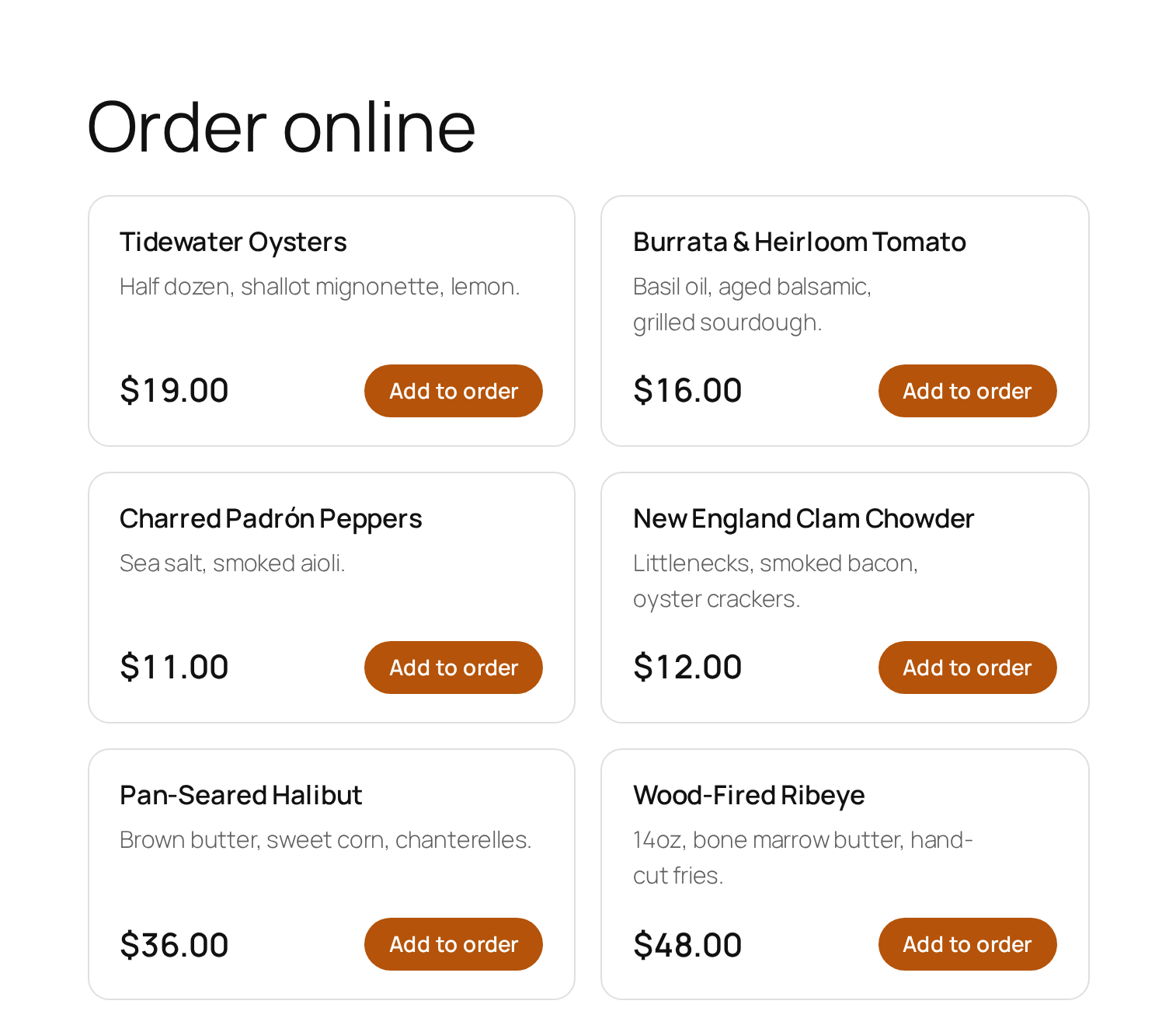
Your menu items already carry prices. Put [rs_order] on a page and every priced item gets an “Add to order” button, dropping it into your site’s own WooCommerce cart at the menu price.
Guests choose pickup or delivery at checkout and can ask for a time, so you are not accepting orders for food you cannot cook yet. Both the method and the requested time appear on the order in WooCommerce → Orders, which is where you are already looking.
The ordering page is deliberately separate from the menu page. [rs_menu] stays exactly what it was (something a guest can read on their phone at the table), and [rs_order] is the page that takes money. Most restaurants want both, and collapsing them into one page makes the menu worse.
Reservation deposits
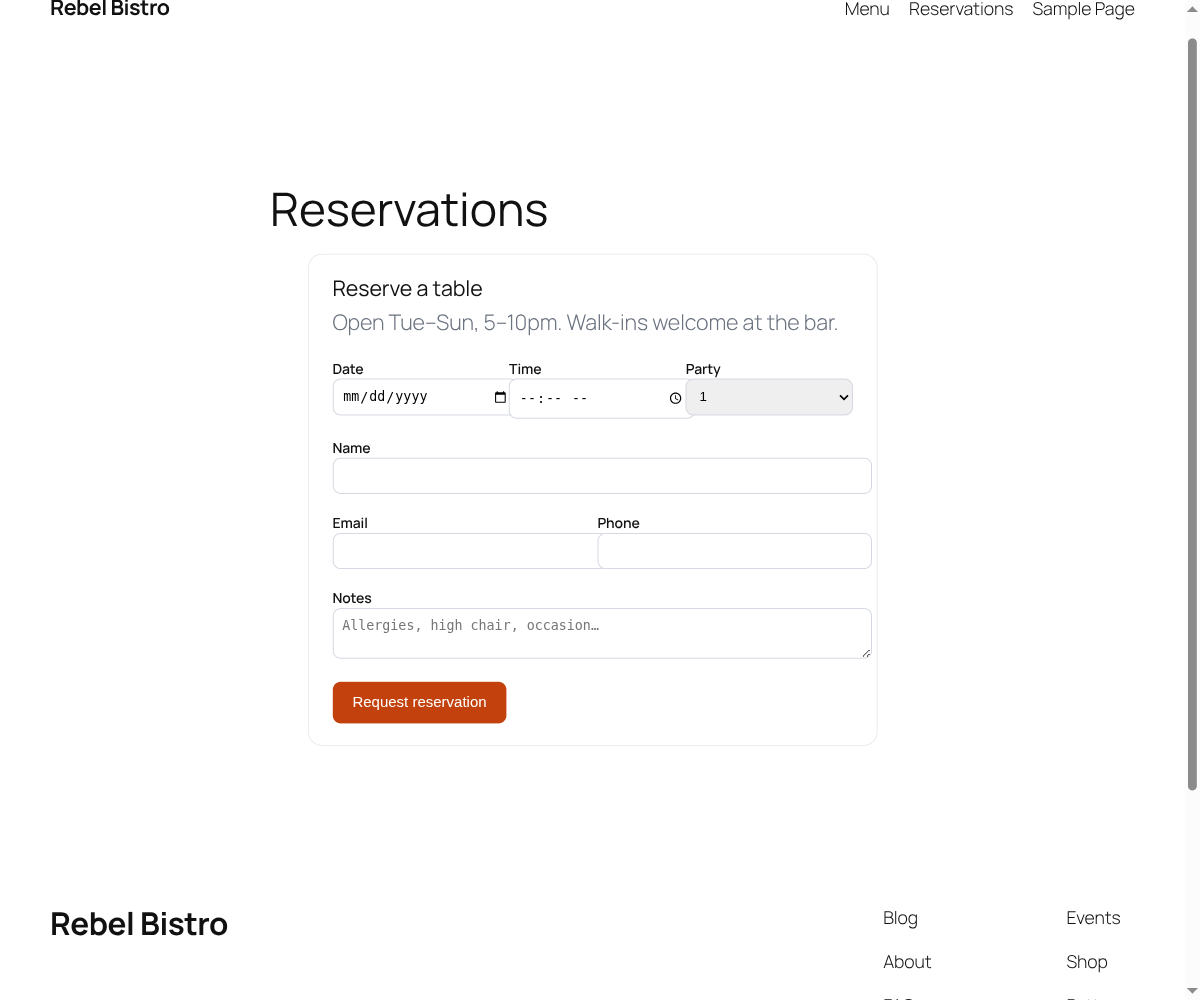
Set an amount per person and a booking goes to checkout before the table is held. The ordering matters, and it is the same principle as ticketing: the table is held only once the deposit is paid.
The consequence is the point. An abandoned checkout never blocks a table, so your Friday night is not quietly full of bookings nobody intends to keep. And any booking that does land is already confirmed and already paid for, which is most of what a no-show policy is trying to achieve.
Leave the deposit at 0 and reservations behave exactly as they do on the free plugin. This is opt-in, not a change to how bookings work.
The same reservation form, with a deposit step in front of the table being held
Your gateway, your money
Orders and deposits run through the WooCommerce checkout the restaurant already has configured, with whatever payment gateway is already set up. This plugin never touches card details, needs no payment API keys, and takes no percentage of your orders.
That is the whole argument against the delivery platforms, stated as arithmetic rather than as grievance: a platform charging 15–30 percent on a £40 order takes £6–12 of it, every time, forever. This is a one-time $69 and your existing card fees. For a restaurant doing even a handful of online orders a week, the crossover is measured in days.
It also means refunds, tax and reporting stay in WooCommerce, where your bookkeeping already lives.
What it does not do
Stated plainly, because earlier versions of this site advertised two features that were never built:
No table management. There is no floor plan, table assignment or seating chart. Reservations are a list with a deposit in front of them.
No WhatsApp order routing. Orders appear in WooCommerce; they are not pushed to a messaging app.
No driver dispatch or delivery tracking. Delivery is a choice the guest makes and a note on the order, not a logistics system.
If any of those is what you need, this is not the product. What it is for is a restaurant that wants to take its own orders and stop no-shows without paying a platform for the privilege.
$69
Get Restaurant Pro
One-time purchase, no subscription and no cut of your orders. The download includes the free Restaurant plugin it builds on.
Both plugins: this Pro add-on and the free Restaurant Menu, Reservations & Ordering plugin it builds on. Upload both zips and you are running. You get a licence key after checkout to paste into the plugin’s settings.
You need WordPress 6.5 or newer, PHP 7.4 or newer, and WooCommerce active with a payment gateway configured, since that is what takes the money.
One caveat stated plainly: the free plugin is not in the WordPress.org directory yet and has not been submitted, so searching for it from inside WordPress will not find it. Relevant if you wanted the free plugin alone; irrelevant to a buyer, because the file is in your download.