A job application tracker that lives in Google Sheets or Excel — every application, follow-up and interview on one page, plus an ATS keyword workspace. One file, one payment, nothing to install.
Almost nobody loses a job search because they applied to too few places. They lose it in the admin: a posting answered twice, a recruiter who replied three weeks ago and was never chased, a company you cannot remember whether you contacted, four versions of a resume and no record of which one went where.
Browser tabs are not a system. Neither is your inbox, which is organised by when things arrived rather than what still needs doing. A search that runs for two months across forty applications needs somewhere to put state, and the moment it exists the whole thing gets calmer.
This is that place, and deliberately not an app. It is a spreadsheet, because a spreadsheet is something you already know how to use, cannot be discontinued, does not need an account, and is still readable in ten years.


The search at a glance: how many applications are live, your response rate, and how many need a follow-up today. It fills itself in from the tracker.
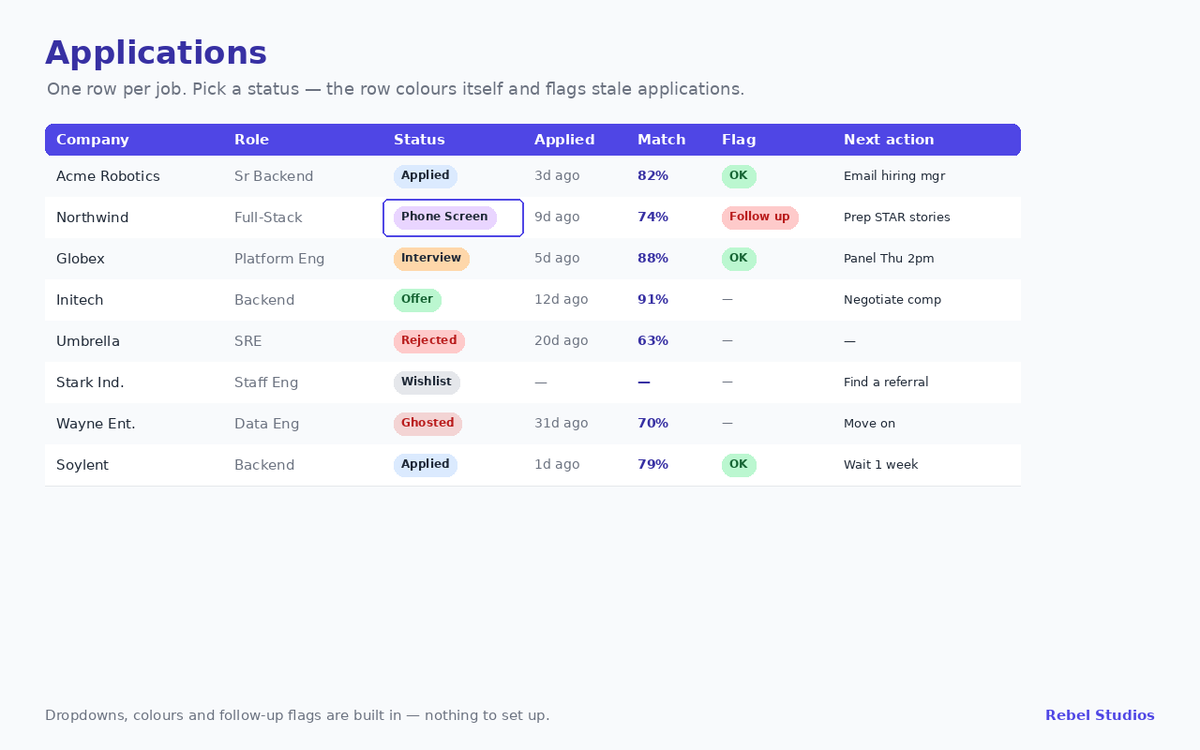
One row per job. Pick a status — Wishlist, Applied, Phone Screen, Interview, Offer, Rejected or Ghosted — and the row colours itself. A flag turns red when something has gone quiet for a week.
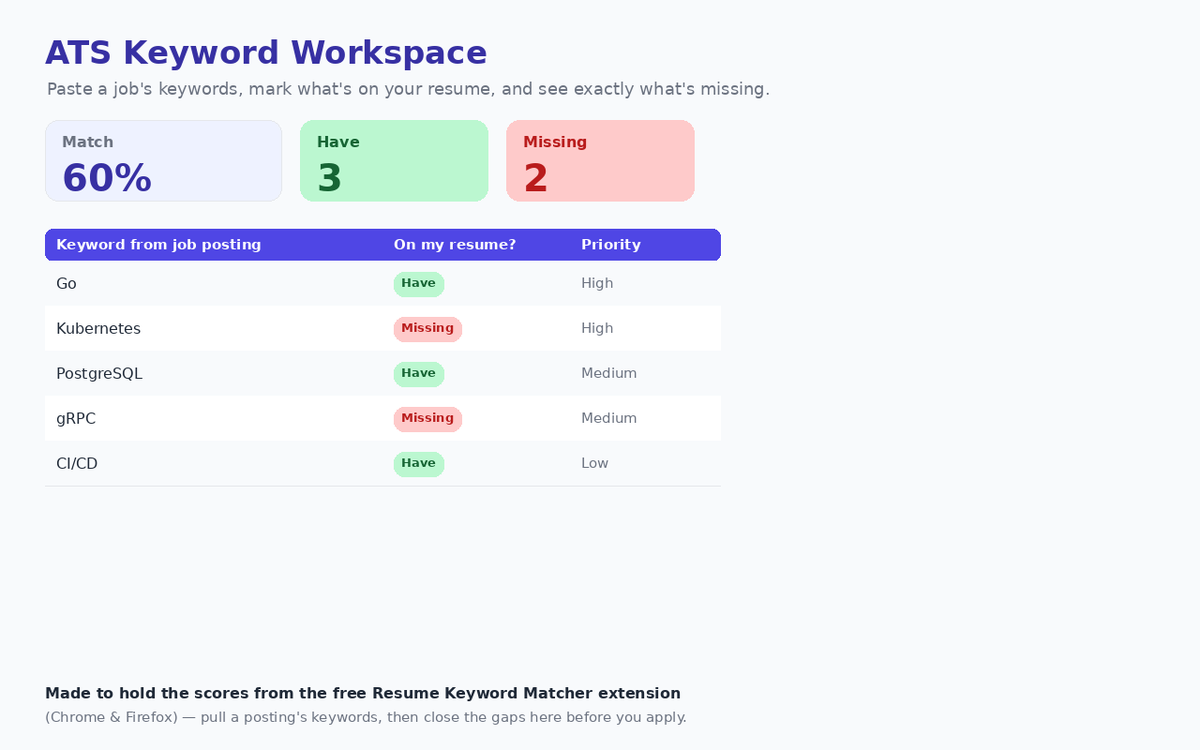
Paste a posting’s keywords, mark what is already on your resume, and see the match percentage and the exact gaps before you apply.
One row per round: the questions you want to ask, the STAR stories you plan to reuse, and what is done.
There is also a read-me tab that takes about sixty seconds, because a template you have to study is a template you abandon.
This sounds like a small claim and is the reason most spreadsheet templates disappoint. Formulas that rely on newer array functions behave differently between the two, so a file built in one tends to break in the other — usually silently, with a column of errors where your numbers should be.
Every formula here is deliberately restricted to COUNTIF, COUNTA, IF and ordinary date arithmetic. Nothing clever, nothing version-specific. Drag it into Google Drive and open it with Sheets, or double-click it in Excel; the dropdowns, the conditional colours and the dashboard all work the same way in both.
It is a file, not a service. There is no account, no sync, no subscription, and nothing that stops working if this site does.
The Resume Keyword Matcher is a free browser extension that reads a job posting, pulls its keywords, and scores your resume against them. It answers one question well — does this resume match this posting? — and then forgets, because it has no memory of your search.
The ATS Keywords tab is built to hold exactly that output: the percentage, the terms you matched, and the ones you did not, sitting next to the application they belong to. Run the extension on a posting, drop the numbers in, and the record survives past the tab you closed.
Neither needs the other. Together they cover the whole loop: score before you apply, then track what happened after.
If you are applying to three carefully chosen roles, you do not need this — a note somewhere will do. If your search is run through a recruiter who tracks everything for you, likewise.
It earns its keep somewhere north of ten or fifteen open applications, which is where a search stops fitting in your head. It also will not apply for you, write your resume, or scrape postings; it is a place to think, not an automation.
Instant download. Five tabs, works in Google Sheets and Excel, one-time purchase — no subscription and no account.
Buy on Gumroad — $12 →Written while building these tools:
How to get your resume past an ATS
ATS-friendly resume format: what actually parses
ATS resume keywords: why your resume gets auto-rejected