What pricing an event actually looks like
You open an event you have already created, set a price, and save. That is the whole configuration step: there is no separate ticket product to build, no stock to sync, and no second place where the event’s details have to be kept in step.
From the visitor’s side the registration form behaves as it always did, except that submitting it sends them to checkout instead of confirming an RSVP. They pay the way they would pay for anything else in your store, with the payment methods, currency and tax rules you have already set up.
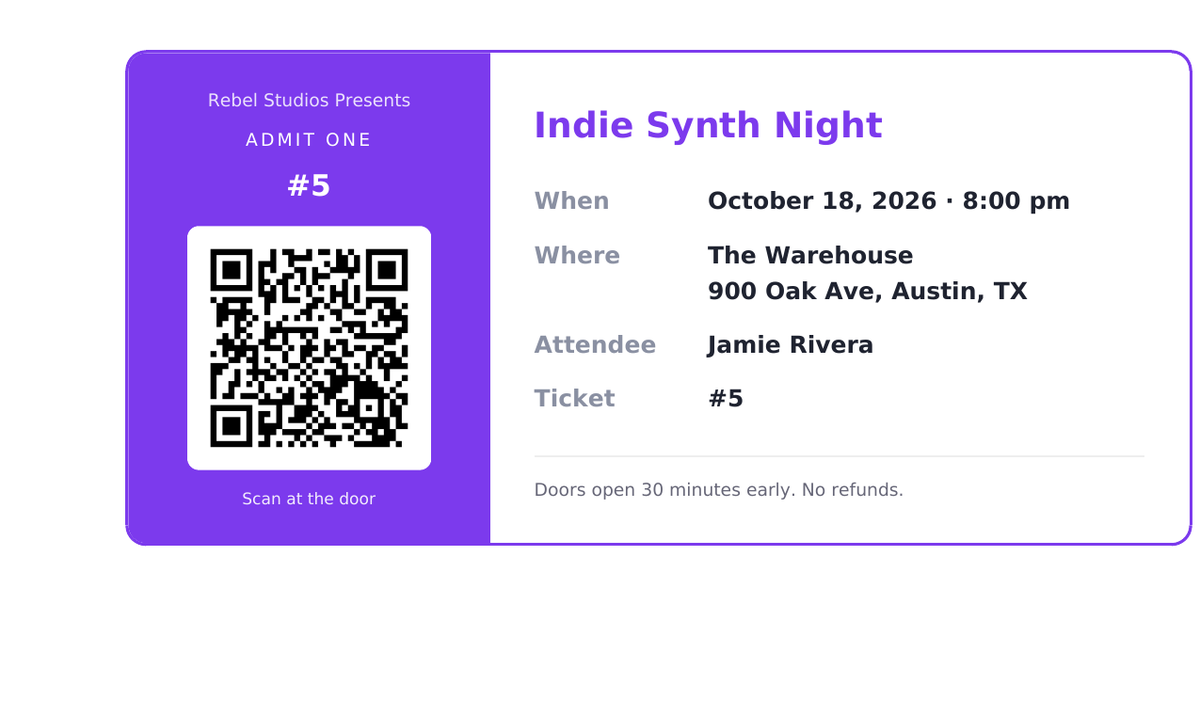
The ticket is issued on the payment, not on the registration. That ordering matters more than it sounds: it is what stops an abandoned checkout from emailing a valid ticket, and what stops a half-finished order from silently consuming one of a limited number of seats. When the order is marked paid, every attendee on it gets their own QR-coded PDF.
Different prices for the same event
One price per event covers most of what people run, but not all of it. An event can instead carry as many named ticket types as it needs (General, VIP, Early bird, Member), each with its own price and its own capacity.
The capacities are independent, which is the part that matters in practice: Early bird can sell out while General is still open, and the form stops offering a type the moment its last seat goes. A type priced at zero stays on the free RSVP path instead of going to checkout, so a comp or member-free tier works without putting a payment step in front of someone who owes nothing.
The type travels with the ticket. It prints on the QR ticket, shows in the attendee list and comes through in the CSV export, so whoever is on the door can see what someone actually bought.
Free and paid events side by side
Pricing is per event, so a site can run both. A free community meetup keeps taking RSVPs with no checkout in the way, while a paid workshop next to it charges properly, and both issue the same ticket, scanned with the same reader at the door.
That matters for the common case where an organisation charges for some things and not others. You do not have to choose one model for the whole site, and you do not have to run a second plugin for the other half.
What it deliberately does not do
It does not implement seat maps or assigned seating. It does not do recurring events or season passes. It is not a replacement for a dedicated ticketing platform if you are running a venue. And it has no marketplace: people browsing Eventbrite for something to do will not come across an event you sell this way.
What it is for is the far more common case: an organisation that runs a handful of events a year, already has a WordPress site with WooCommerce on it, and wants to charge for a seat without handing a percentage to a ticketing service or standing up a second checkout.
If your requirements outgrow that, you will know, and you will not have lost anything, because the tickets and orders live in WordPress and WooCommerce rather than in someone else’s system.